Free Sitemap Extractor

Extract URLs and keywords from any sitemap, grouped by subfolder.

Enter any domain. Acme.Bot finds the sitemap automatically.
Sample output

What you'll see in the report

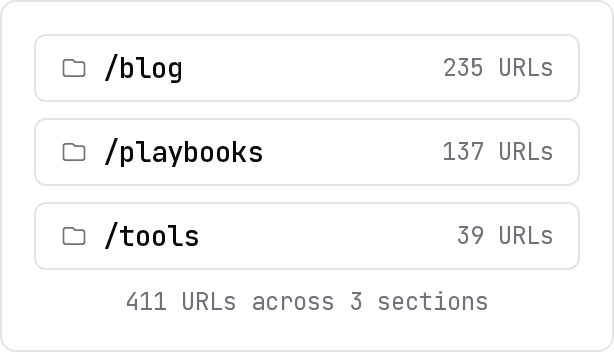
Every URL organized by content section, with derived keywords and URL counts per category.
Domain: example-saas.com
URLs scanned: 247
Categories: 8
Duration: 1.8s
/blog
89 URLs
KeywordURL
content strategy guidehttps://example-saas.com/blog/content-strategy-guide
seo best practiceshttps://example-saas.com/blog/seo-best-practices
keyword research tipshttps://example-saas.com/blog/keyword-research-tips
competitor analysishttps://example-saas.com/blog/competitor-analysis
/playbooks
34 URLs
/tools
12 URLs
/glossary
61 URLs
/features
18 URLs
/integrations
15 URLs
/for
11 URLs
/compare
7 URLs
How it works

How does sitemap keyword extraction work?
ACME.BOT reads the sitemap directly. No crawlers, no rendering.
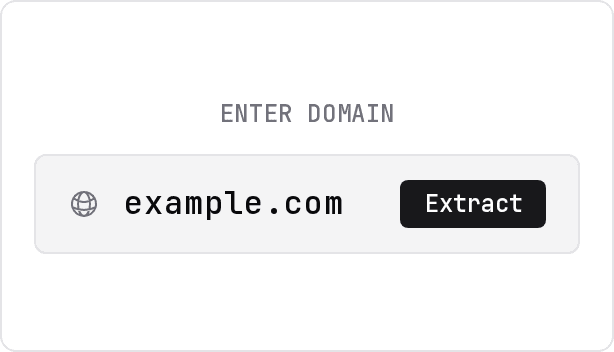
A domain typed into the extractor input, scheme optional.

Enter any domain

Any competitor domain, with or without the scheme. ACME.BOT finds the sitemap on its own.
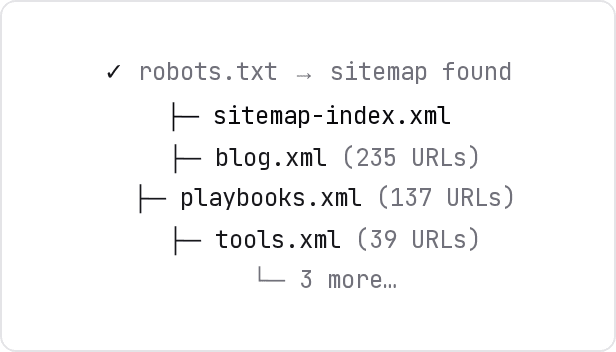
ACME.BOT walking a sitemap index and its child sitemaps.

ACME.BOT walks the sitemap

Follows child sitemaps, reads the sitemap index, and collects every URL, up to 5,000 per scan.
Extracted keywords grouped by content section.

Keywords extracted, grouped by section

A strategic summary in a structured way, outlining keywords that are grouped by content section and derived from the URL slugs.
Why sitemaps

What does a sitemap reveal that ranking tools miss?
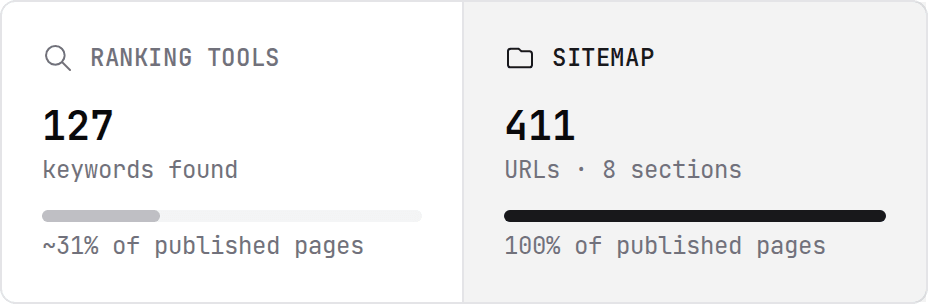
Ranking tools sample what's visible. Sitemaps show the full editorial plan.
See intent, not just performance
Ranking tools find 127 keywords, about 31% of published pages; the sitemap shows all 411 URLs across 8 sections.
Ahrefs and SEMrush show keywords a site ranks for, a byproduct of Google's algorithm. A sitemap shows every page a site chose to publish, a direct signal of editorial intent. New pages, thin pages, experimental sections: visible in the sitemap, invisible in ranking data.
Structure, not a spreadsheet
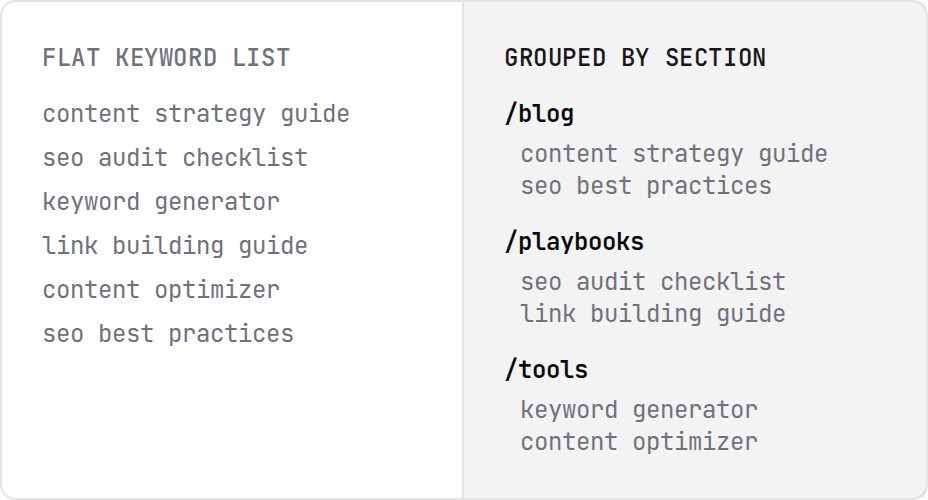
A flat keyword list from ranking tools beside URLs grouped by path into sections.
Ranking tools return a flat keyword list sorted by volume. ACME.BOT groups every URL by path (/blog, /playbooks, /glossary) to show how the competitor organizes content by topic. The taxonomy itself is a strategy signal.
Workflows

What can you do with extracted sitemap keywords?

1

Map a competitor's full content footprint

Run ACME.BOT on any competitor domain to see exactly what topics they publish, grouped by section and counted. You can cover your top three competitors in five minutes.

2

Find the sections you're missing

Run ACME.BOT on your domain and a competitor's. Gaps in your site's structure show up as sections a competitor covers and you don't: /glossary, /playbooks, /integrations.

3

Borrow a taxonomy that works

Each URL path prefix is usually a distinct topic cluster: /for/*, /blog/seo-*, /playbooks/content-*. ACME.BOT surfaces that taxonomy so you can adopt, adapt, or counter it.

4

Seed an editorial calendar

Each URL slug represents a keyword targeted by someone. Export the list and filter by section to get a draft of the quarter's content ideas, already validated by a rival.

FAQ
Common questions
How does the sitemap keyword extractor work?
What types of sitemaps are supported?
Is the data live or cached?
What if a site has no sitemap?
How is this different from Ahrefs or SEMrush?
Why not just paste a sitemap into ChatGPT?
How is this different from LowFruits' sitemap extractor?
What does 'category' mean in the results?
Is there a limit on how many URLs the tool extracts?
Can I export the results?
Will scanning a competitor's sitemap get me blocked?
Does this work for JavaScript-rendered sites?
How do I turn these keywords into a content plan?